



Stop Losing Students
Your recruitment and marketing efforts get students to your website. What happens when they land on it?
I’m sure you’re hoping that every student will explore and see if your school is the right fit for them. Unfortunately, the average browser will spend maybe 2 minutes on your website and look at 2-3 pages.
If you’re seeing fewer leads, it’s a sign your site is pushing away potential students. Without a good user experience and an accessible experience, your website isn’t just failing to compete—it’s actively costing you enrollment.
Accessible Websites That Bring Actual Leads
Your marketing works, but does your website kill it? Stop leaving leads, donors, and enrollments on the table.
Improve Your UX and Accessibility
Most websites fail because they are difficult to navigate or understand. In a mobile-first world, students expect instant access to programs and aid info. By prioritizing UX and accessibility, you ensure no student is sidelined by a broken interface. Seamless design isn’t a luxury—it’s a requirement for conversion.
It’s time to Amplify your website.
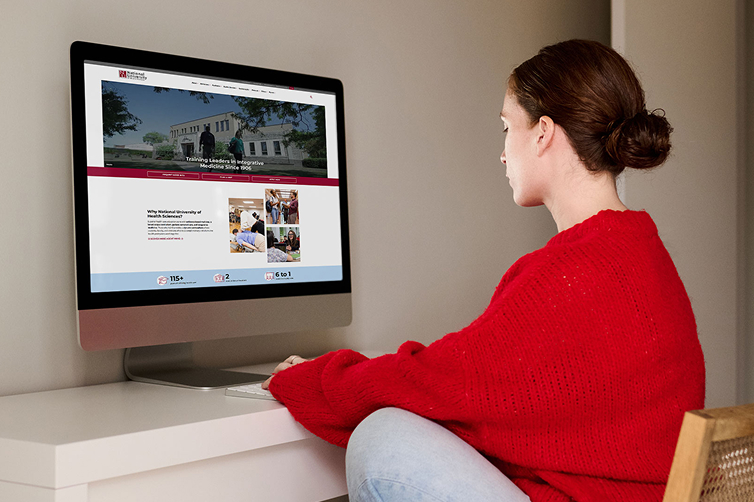
Customers Love Working with Captain Coder®
Marisa and her team are the best to work with. They’ve helped us significantly improve our site, making it easier for our team and students to use. (We used to train new staff on navigating it!) Now, changes are easier and quicker, and we’re able to focus on high-quality work that delivers results.
— Ashleigh Duda, National University of Health Sciences
How AmplifyU Works

Audit Your Current Website
Find the issues turning away students and create an action plan

Perform Optimizations
Follow UX and web accessibility best practices, we improve your entire website

Keep You Running Smoothly
Once your website is optimized, we provide ongoing support and strategy

Can’t My IT Guy Help?
No. IT specialists work on networks and security; it’s sort of like asking your server to cook your meal, too. Maybe they can, but they shouldn’t.
There’s a lot of psychology behind user experience and hundreds of small details that cover web accessibility standards. If you want a website to attract students, you need someone with the expertise to make it work.
(Hint: that’s Captain Coder.)
Why Captain Coder
Listen, I get it. You’re a great marketer, but making a website work for you is outside of your wheelhouse. That’s where Captain Coder comes in to save the day. (Mostly metaphorically speaking.)
We specialize in creating beautiful custom WordPress websites that are not only accessible but also increase your leads and conversions.
Our flexible team helps you improve your UX, ensure accessibility compliance, and create a website that performs. We help to take the burden off you.
AmplifyU FAQs
Maybe, maybe not. Depending on what we find while auditing your current website, we might be able to perform optimizations fairly easily. However, user experience and accessibility start with how a site is coded.
Often, we’ll optimize what we can and create an action plan for a bigger website overhaul to allow for the best performance.
No. Websites tend not to be static, meaning they change frequently. Whenever you make updates to your website, you can knock it out of compliance. Depending on how your website is built, software updates can also affect your accessibility. Plus, web accessibility standards can change over time.
However, by having the right foundation and following accessibility best practices, you’ll be miles ahead of your competition and be less of a target.
When anyone gets into a website and makes changes without the proper knowledge, they can quickly cause issues. As a member of AmplifyU, you get monthly website remediation services to ensure conformance. We even provide training to anyone else who might be making updates to your website. We can even make all of those website changes for you to ensure there’s 0 issues.
For most websites, we follow the internationally recognized WCAG 2.2 standards. Title II requires conformance with 2.1, so we test for that when needed, but we like to ensure that all of our sites follow the latest best practices.